Password Reset: Volume 2
Originally Published: Oct. 10, 2025
Last Updated: June 27, 2026
By Tracey Birkenhauer, journalist and Chief Impact Officer, STACK Cybersecurity
This article has been expanded to reflect current password guidance, modern credential-theft tactics, common password myths, password managers, multi-factor authentication, and the growing use of passkeys.
Executive Summary
Passwords have evolved from simple shared words into credentials that protect email, banking, customer records, cloud applications, financial systems, and business networks. The basic idea hasn't changed. You prove your identity by providing information that should be known only to you.
Unfortunately, passwords are copied, reused, guessed, phished, stolen by malware, and exposed in data breaches. Current password security focuses less on complicated character formulas and frequent password changes. The better approach is to use long, unique passwords, a company-approved password manager, multi-factor authentication (MFA), compromised-password screening, and phishing-resistant authentication such as passkeys.
How Passwords Evolved
The concept of using a secret word to establish identity is much older than the internet. Military forces and guarded communities historically used spoken watchwords to determine who should be permitted to enter a protected area.
Digital passwords emerged as computers began supporting multiple users. The Compatible Time-Sharing System developed at the Massachusetts Institute of Technology during the 1960s allowed people to access individual files and computing resources through separate user accounts.
As workplace computing expanded, passwords became part of operating systems, email accounts, business applications, remote access tools, online banking, customer portals, and cloud platforms. A credential that once protected access to a single computer may now unlock a large part of someone's personal or professional life.
Password security evolved along with those systems. Companies added password-expiration schedules, character requirements, account lockouts, security questions, multi-factor authentication, single sign-on, password managers, biometrics, security keys, and passkeys.
Even with these improvements, passwords haven't disappeared. Legacy applications, vendor portals, industrial software, older devices, cloud services, and industry-specific platforms may continue requiring them for years.
Password Timeline
- Ancient history: Spoken watchwords help control physical access.
- 1960s: Time-sharing computers introduce individual user accounts and digital passwords.
- 1980s and 1990s: Workplace computers, networks, email, and online services make passwords part of everyday life.
- 2000s: Data breaches and online account growth expose the dangers of weak and reused credentials.
- 2010s: Password managers, multi-factor authentication, and cloud identity tools become more widely adopted.
- 2020s: Passkeys and phishing-resistant authentication begin replacing passwords on supported systems.
Why Passwords Still Fail
The problem isn't only that users choose bad passwords. Modern attackers use automated tools, stolen databases, convincing login pages, malware, browser data, session tokens, and cybercrime marketplaces to obtain access.
Microsoft's 2025 Digital Defense Report (PDF) found that identity-based attacks increased 32% during the first half of 2025. Microsoft also reported 97% of the identity hacks it observed were password-spray attacks.
Password spraying involves testing a small number of common or predictable passwords against many accounts. This allows an attacker to search for weak credentials without repeatedly targeting one user and immediately triggering an account lockout.
Passwords may also fail because employees:
- Reuse the same password across personal and business accounts.
- Choose predictable variations based on seasons, company names, sports teams, or years.
- Save credentials in unmanaged web browsers.
- Share passwords through email, chat, text messages, or spreadsheets.
- Enter credentials on fraudulent phishing pages.
- Use personal password-storage accounts for business systems.
- Approve unexpected MFA prompts without verifying the request.
- Continue using passwords known to have appeared in previous breaches.
Attackers don't always need to break through a company's defenses. A valid username and password may let them enter through the same login page employees use.
Read Password Reset: Modern Password Security for Businesses for a complete explanation of phishing, credential stuffing, password spraying, infostealers, browser password storage, MFA, passkeys, and business password policies.
The Password Hall of Shame
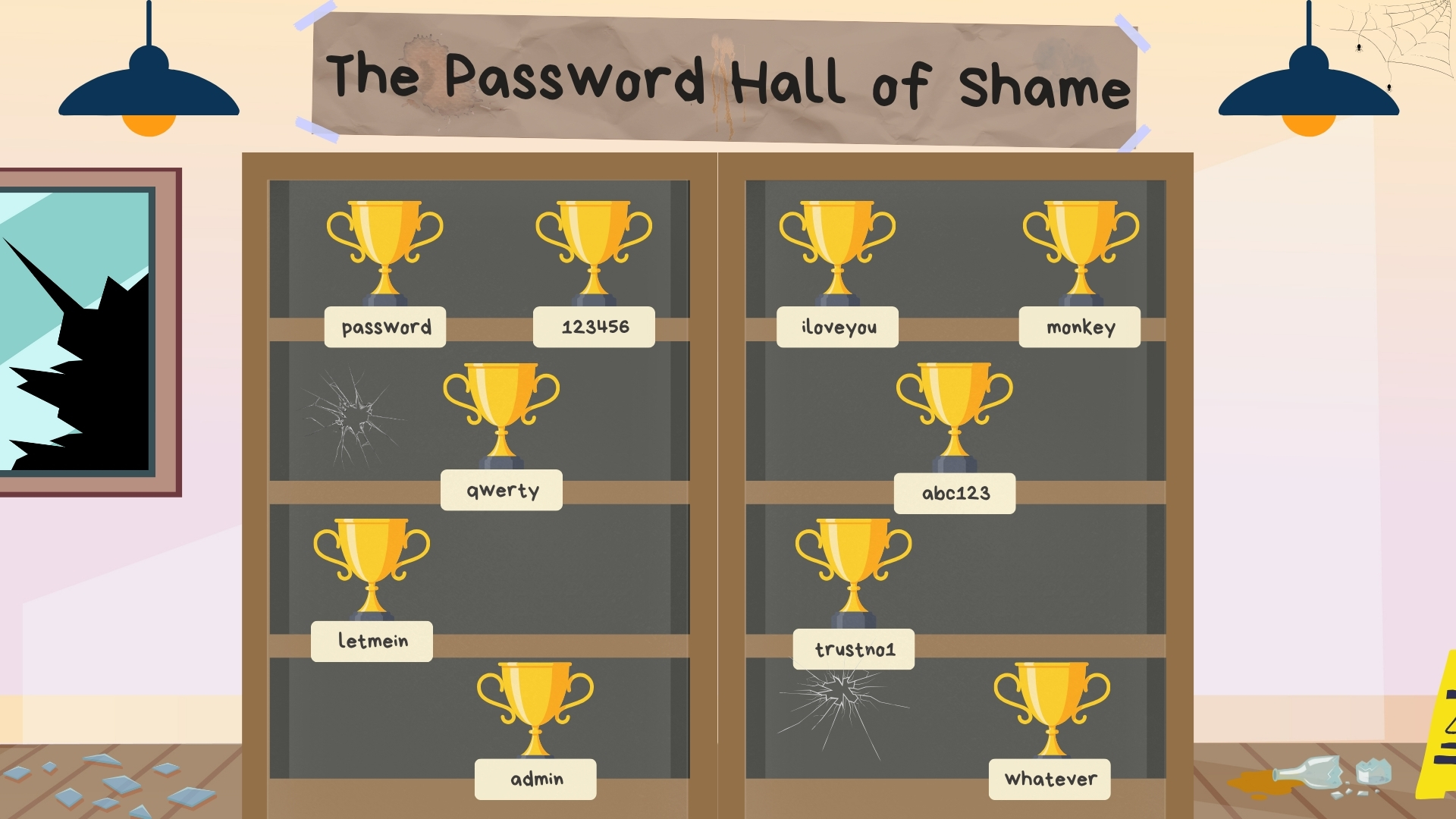
Password breaches have repeatedly shown that people gravitate toward credentials that are short, familiar, and easy to type. Common examples regularly found in exposed-password collections include:
- 123456
- password
- qwerty
- 111111
- abc123
- admin
- letmein
- welcome
- iloveyou
- password123
These credentials are easy for automated tools to test. Adding a year, exclamation point, capital letter, or company name doesn't necessarily make them safe. Variations such as Welcome2026! and Summer2026! follow patterns attackers already know to try.
Famous Password Stories Aren't Always Reliable
Password history is filled with stories about military codes, movie passwords, technology companies, and famous people who supposedly used remarkably weak credentials. Some are true, while others have been repeated so often that legend and fact have become difficult to separate.
The business lesson doesn't depend on whether every story is accurate. A password becomes dangerous when it's easy to associate with the user, shared by several people, reused on multiple systems, stored insecurely, or left active after access should have been removed.
References to a company name, product, address, family member, pet, favorite team, popular movie, song lyric, or personal milestone can make a password easier to guess. Publicly available information and social media give attackers even more material to work with.
What Makes a Strong Password Today?
Older password rules frequently required a mixture of uppercase letters, lowercase letters, numbers, and special characters. Employees were then required to replace the password every 30, 60, or 90 days.
Those requirements often produced predictable results. Someone might change Summer2026! to Fall2026!, write the new password on a note, or reuse it across several accounts.
Current guidance from the National Institute of Standards and Technology places greater emphasis on password length, uniqueness, compromised-password screening, password managers, and changing credentials when there's evidence of compromise.
Under current NIST digital identity guidance, a password used as the only authentication factor should contain at least 15 characters. Systems should permit passwords of at least 64 characters and shouldn't impose arbitrary rules requiring a specific mixture of character types.
NIST also advises against forcing password changes on an arbitrary schedule. Passwords should be changed when there's evidence or reasonable suspicion that the credential has been compromised, improperly shared, or otherwise exposed.
Modern Password Priorities
- Use a different password for every account.
- Use long passwords or passphrases.
- Use a business password manager to generate random credentials.
- Block common and known compromised passwords.
- Enable multi-factor authentication.
- Use phishing-resistant authentication where available.
- Remove business passwords from unmanaged browsers and spreadsheets.
- Revoke accounts and shared access promptly during offboarding.
For a closer look at these changes, read New Password Guidance Shifts Toward Simplicity and Security.
Password Myths That Create Business Risk
Myth: A Password Must Be Changed Every 90 Days
Reality: Frequent mandatory changes often lead to predictable variations. Current NIST guidance advises against arbitrary periodic changes unless compromise is suspected or confirmed.
Myth: Special Characters Automatically Make a Password Secure
Reality: A short password with a capital letter, number, and symbol can still be easy to guess. Length, uniqueness, and unpredictability matter more than following a familiar formula.
Myth: One Strong Password Can Be Used Everywhere
Reality: Reusing even a strong password allows one breach to affect several accounts. Criminals can test exposed credentials against email, banking, payroll, cloud platforms, and business applications.
Myth: Saving Passwords in a Browser Is the Same as Using a Business Password Manager
Reality: A dedicated business password manager offers centralized administration, secure sharing, access controls, reporting, onboarding, offboarding, and policy enforcement that browser storage may not provide.
Myth: MFA Means the Password No Longer Matters
Reality: MFA significantly improves account protection, but some forms can still be phished or bypassed. Companies should protect both the password and the additional authentication method.
Myth: Cybercriminals Only Target Executives
Reality: Any employee account may provide access to company email, files, applications, contact lists, customer information, or internal conversations. A lower-level account may also be used to impersonate a trusted employee.
Why Businesses Need Password Managers
Employees may need access to dozens of systems. Expecting someone to create, remember, and correctly enter a different long password for every account isn't realistic.
A business password manager creates and stores unique credentials inside an encrypted vault. It can also support secure sharing, team folders, access permissions, onboarding, offboarding, password generation, and administrative oversight.
STACK Cybersecurity uses and deploys Keeper Security for internal and client password management. Keeper helps businesses replace reused credentials, migrate passwords out of browsers, control shared access, and manage credentials across teams.
Use the Keeper Password Manager Setup, Training and User Guide to learn how to activate an account, install KeeperFill, create records, import passwords, use shared folders, change credentials, and manage passkeys.
Why Password Managers and MFA Work Together
Password managers and multi-factor authentication solve different problems. A password manager helps create and securely store unique credentials. MFA requires another form of verification when someone attempts to sign in.
Using both reduces the risk that one stolen password will immediately provide access. MFA should be prioritized for email, remote access, administrative accounts, financial systems, cloud applications, and systems containing sensitive information.
Not every form of MFA offers the same protection. Text messages, one-time codes, and mobile approval prompts are better than relying on a password alone, but attackers can still target them through phishing, social engineering, SIM swapping, and repeated approval requests.
Phishing-resistant options such as security keys and passkeys provide stronger protection because the authentication credential is tied to the legitimate website or application.
The Dark Web Credential Economy
Stolen credentials have become a commodity. Criminals collect usernames, passwords, session tokens, browser cookies, device information, and other account data through breaches, phishing, malware, and infostealers.
That information may be sold through cybercrime forums, messaging platforms, access brokers, and underground marketplaces. A criminal who didn't conduct the original theft may purchase access and use it for fraud, business email compromise, data theft, ransomware, or further intrusion.
Infostealer malware is especially dangerous because it can collect information stored in browsers and applications. Microsoft identified Lumma Stealer as the most prevalent infostealer observed during the period covered by its 2025 Digital Defense Report.
Changing a password may not be enough when an attacker has also stolen browser cookies or active session information. The affected company may need to revoke sessions, reset credentials, investigate the device, review account activity, and determine what information was accessed.
What Is Credential Stuffing?
Credential stuffing is an automated attack in which criminals take usernames and passwords exposed by one source and test the same combinations against other websites and applications.
The attack works because people reuse passwords. A credential exposed through an entertainment service, online store, or personal account may provide access to business email or another sensitive system.
A unique password for every account prevents one exposed credential from automatically unlocking several others.
What Is Password Spraying?
Password spraying tests a small number of likely passwords against a large number of user accounts. Instead of repeatedly attacking one account, a criminal may try credentials such as Welcome2026! or a variation of the company name against every employee.
This strategy can reduce the chance of triggering account lockouts while still identifying employees who use predictable passwords.
Compromised-password screening, MFA, password managers, login monitoring, and limits on legacy authentication can help reduce this risk.
What Comes After Passwords?
The move toward passwordless authentication is already underway. Passkeys, security keys, biometrics, device-based authentication, and single sign-on can reduce or eliminate the need to type a reusable password.
A passkey replaces the password with a cryptographic credential. The private portion remains protected by the user's device or passkey provider, while the website receives the information needed to verify the sign-in.
Passkeys can be unlocked using a device PIN, fingerprint, facial recognition, pattern, or security key. The biometric information is used locally to unlock the credential and isn't sent to the website as the authentication secret.
Passkeys are resistant to traditional phishing because they're associated with the legitimate website. A fraudulent login page can't collect a passkey and reuse it in the same way it can steal a typed password.
Passwords Won't Disappear Overnight
Companies should enable passkeys and phishing-resistant MFA where they're supported while continuing to protect passwords required by legacy applications, vendor systems, remote access tools, and industry-specific software.
Five Password Facts Business Leaders Should Know
- Most identity attacks are still focused on passwords. Microsoft reported that 97 percent of the identity attacks it observed were password-spray attacks.
- Longer is generally better than complicated. NIST requires at least 15 characters when a password is used as the sole authentication factor.
- One password shouldn't unlock several accounts. Unique credentials prevent one breach from becoming several compromises.
- Password managers and MFA serve different purposes. Businesses should use both rather than choosing between them.
- Passkeys reduce phishing and credential-reuse risk. They replace reusable passwords with cryptographic credentials tied to the legitimate service.
What Businesses Should Do Now
- Require unique passwords for every business account.
- Deploy a company-approved password manager.
- Remove business credentials from browsers, spreadsheets, and personal vaults.
- Enable MFA for email, remote access, financial systems, administrative accounts, and cloud applications.
- Prioritize phishing-resistant MFA for privileged and high-risk users.
- Block common, predictable, and known compromised passwords.
- Review shared and administrative accounts regularly.
- Include password-manager training in employee onboarding.
- Revoke accounts, sessions, devices, and shared access during offboarding.
- Enable passkeys where they can be securely managed.
- Give employees a clear way to report unexpected MFA prompts and suspicious login activity.
Frequently Asked Questions (FAQs) About Password History and Security
When were computer passwords invented?
Digital password systems emerged during the early era of time-sharing computers. MIT's Compatible Time-Sharing System, developed during the 1960s, is commonly associated with the introduction of password-protected individual user accounts.
Why are passwords still used?
Passwords are widely supported, relatively inexpensive to implement, and familiar to users. Legacy applications, vendor platforms, older devices, and industry-specific systems may not yet support passkeys or other passwordless methods.
How long should a password be?
Current NIST guidance requires at least 15 characters when a password is used as the only authentication factor. Passwords used as part of MFA may be shorter, but systems should permit long passwords and passphrases.
Should passwords contain uppercase letters, numbers, and symbols?
Those characters may appear in a strong password, but current NIST guidance advises against mandatory composition formulas. Length, uniqueness, compromised-password screening, and secure storage are more important than forcing predictable character substitutions.
Should employees change passwords every 90 days?
Not automatically. NIST advises against arbitrary periodic changes. Passwords should be changed when compromise is suspected or confirmed, when a credential was improperly shared, or when access must be revoked.
What is the most common password mistake?
Password reuse is one of the most damaging mistakes because it allows a credential exposed through one account to be tested against several others. Weak and predictable passwords, browser storage, and insecure sharing also create risk.
What is credential stuffing?
Credential stuffing uses usernames and passwords exposed through one source to attempt logins on other websites and applications. Unique passwords prevent one exposed credential from unlocking multiple accounts.
What is password spraying?
Password spraying tests a small number of common or predictable passwords against many accounts. This approach may help attackers avoid the lockouts caused by repeatedly targeting one user.
Are passwords stored in a web browser safe?
Browser storage may provide some security, but it generally lacks the centralized controls, secure sharing, reporting, onboarding, and offboarding features of a dedicated business password manager. Malware and compromised synchronized browser accounts may also expose stored credentials and sessions.
Can artificial intelligence guess passwords?
Attackers can use automation and machine learning to identify likely patterns, improve phishing messages, and test credentials at scale. AI doesn't make a long, random, unique password easy to guess, but it can make predictable human-created passwords and social-engineering attacks more effective.
Are passkeys more secure than passwords?
Properly implemented passkeys are resistant to phishing and credential reuse because there's no reusable password for an employee to type into a fraudulent website. Businesses still need secure device management, account recovery, access reviews, and offboarding procedures.
Will passkeys completely replace passwords?
Passkey adoption is expanding, but many legacy and industry-specific systems still require passwords. Most businesses will manage a combination of passwords, MFA, passkeys, security keys, and single sign-on during the transition.
Need Help Strengthening Password Security?
STACK Cybersecurity can help your business deploy Keeper Password Manager, remove credentials stored in browsers, implement MFA, review access controls, improve employee onboarding and offboarding, and prepare for phishing-resistant authentication.
Start with a Cybersecurity Risk Assessment, call (734) 744-5300, or contact STACK Cybersecurity.