AI Deep Research: Complete Guide for Beginners
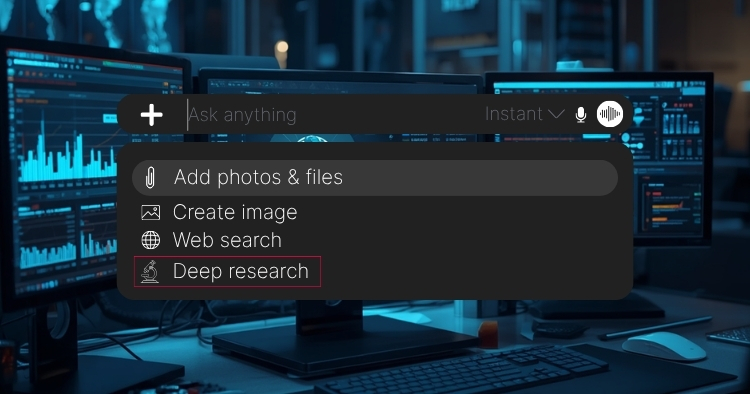
Originally Published: June 26, 2026
By Tracey Birkenhauer, journalist and Chief Impact Officer, STACK Cybersecurity
What You Will Learn
AI Deep Research is one of the most useful features in modern AI tools, and one of the least understood. Most people who have access to it are not using it, or are using it the wrong way and getting mediocre results.
This guide covers everything a beginner needs to know: what Deep Research is, how it works, which tools offer it, how to write prompts that produce useful reports, what to do with the results, and how to avoid the most common mistakes. No technical background required.
Table of contents
Click any section to jump directly to that part of the guide.
What AI Deep Research is and how it differs from a standard AI chat
Understand what makes Deep Research unique.
How the research process works, step by step
A breakdown of the Deep Research process.
Which platforms offer it, what plans include it, and what it costs
A comparison of tools, plans, and pricing.
Data privacy considerations every user should understand
Important privacy and security information.
What good prompts look like and how to write them
Prompt writing tips and best practices.
How to read, challenge, and act on a Deep Research report
Make the most of your research results.
Prompt templates you can copy and adapt right now
Ready-to-use templates for any topic.
Common mistakes and how to avoid them
Avoid pitfalls and get better results.
Frequently asked questions
Answers to the most common questions.
What Is AI Deep Research?
Most people are familiar with AI chatbots. You type a question, you get an answer. The exchange takes a few seconds and draws on whatever the AI already knows from its training data.
AI Deep Research works differently. Instead of generating a single response from memory, it actively goes out and conducts research on your behalf. It builds a research plan, searches the web across multiple sources, reads and analyzes what it finds, compares results, identifies patterns and gaps, and delivers a structured report. The process typically takes between two and fifteen minutes depending on the complexity of the topic.
Think of the difference this way: a standard AI chat answers a question. Deep Research investigates one.
The name varies by platform. You may see it called Deep Research, Research Mode, or simply Research depending on which tool you use. The label differs, but the core behavior is the same across all of them.
Standard Chat vs. Deep Research at a Glance
| Standard Chat | Deep Research |
|---|---|
| Answers a question | Investigates a topic |
| Single response | Multi-step research process |
| Seconds to complete | Minutes to complete |
| Draws on training data | Searches the live web |
| Limited source review | Dozens of sources reviewed and compared |
| Quick summary | Detailed, structured, cited report |
| Best for simple or creative tasks | Best for complex research and decisions |
| Writing a follow-up email | Comparing vendors before a buying decision |
| Summarizing a document | Analyzing a competitive landscape |
| Answering a quick factual question | Researching regulatory requirements |
| Brainstorming ideas | Producing a market analysis with citations |
How AI Deep Research Works
Understanding what happens under the hood helps you write better prompts and set realistic expectations for what you will get back.
The Research Process, Step by Step
- You submit a prompt. You describe what you want researched, ideally with context about your situation and what you want the output to look like.
- The AI builds a research plan. Before searching anything, most tools generate a plan that outlines the scope, the questions it intends to answer, and how it will approach the research. Some tools show you this plan and let you edit it before proceeding.
- It searches the web. The AI conducts multiple searches, often dozens, targeting different angles of the question. It is not running a single query.
- It reads and analyzes sources. Unlike a search engine, which returns links, Deep Research reads the content of the pages it finds, extracts relevant information, and evaluates source quality.
- It synthesizes the findings. The AI compares information across sources, identifies agreements and contradictions, flags gaps, and draws conclusions.
- It delivers a structured report. The final output is organized with headings, summaries, comparisons, and citations. Most tools include a recap of what sources were used.
Some tools show this process in real time, displaying a running log of what is being searched and read. Others run everything in the background and deliver the completed report. Both approaches produce comparable quality results.
What Makes It Different From Just Googling Something
A search engine returns a list of links and leaves the analysis to you. Deep Research reads those links and many others, synthesizes what they say, and hands you a structured report. For simple lookups, a search engine is faster. For tasks that require comparing multiple sources, identifying patterns, or building a comprehensive view of a topic, Deep Research compresses hours of manual work into minutes.
Limitations to Understand Before You Start
- It can be wrong. Deep Research reads sources accurately most of the time, but it can misinterpret, hallucinate, or surface outdated information. Always verify important findings before acting on them.
- It only sees what is publicly available online. Proprietary data, internal documents, and paywalled content are not accessible unless you provide them directly.
- It is not a substitute for expert judgment. A report on legal, medical, financial, or compliance topics is a starting point, not a final answer. Consult a qualified professional before making consequential decisions.
- Quality depends heavily on the prompt. Vague prompts produce vague reports. The more specific and contextual your prompt, the better the research.
- It reflects the web, including its biases. If a topic is underrepresented or covered primarily by biased sources, the report will reflect that.
Which Plan Should Most Users Choose?
| User Type | Recommended Starting Point |
|---|---|
| Solo professional or individual user | Any $20/month individual plan on whichever platform you already use |
| Small business (1 to 25 employees) | A business or team plan with centralized billing and admin controls |
| Mid-sized organization (25 to 250 employees) | Business or team plans with user management and usage visibility |
| Compliance-regulated organization | Business or enterprise plans with admin controls and data governance features |
| Large enterprise | Enterprise licensing with SSO, audit logging, and contractual data protection |
What You Need to Know About Data Privacy
For most organizations, the most important question about AI tools is not which plan includes Deep Research. It is what happens to the information you type into these tools.
The general rules across all major platforms:
- Free plans typically allow providers to use your conversations to improve their models. Opt-out is usually not available or is very limited.
- Individual paid plans usually provide an opt-out setting, but users have to find it and enable it manually. If you are on a paid individual plan and have not checked your privacy settings, your conversations may still be used for training.
- Business and team plans generally exclude customer content from model training by default. This is one of the most important reasons to upgrade beyond an individual plan if employees are using these tools for work.
- Enterprise plans typically include contractual guarantees that customer data is not used to train foundation models, along with additional controls for data retention, logging, and access.
If employees are using AI tools to research customers, review contracts, analyze financial data, or work with any sensitive business information, a business or enterprise plan is worth the additional cost. Free and individual consumer plans are not designed for that use case.
Pricing and data policies change frequently. Verify the current terms directly with each provider before making a purchasing decision.
What AI Deep Research Is Good For
Deep Research is not the right tool for every task. It shines for complex, information-dense tasks that would otherwise require hours of manual research. It is overkill for simple questions and tasks where speed matters more than depth.
When to Use Deep Research vs. Standard Chat
| Task | Standard Chat | Deep Research |
|---|---|---|
| Draft an email or document | ✓ | |
| Summarize a meeting or document | ✓ | |
| Answer a quick factual question | ✓ | |
| Brainstorm ideas | ✓ | |
| Proofread or edit content | ✓ | |
| Explain a concept or term | ✓ | |
| Create a first draft of anything | ✓ | |
| Research and compare multiple vendors | ✓ | |
| Analyze a competitive landscape | ✓ | |
| Review regulatory or compliance requirements | ✓ | |
| Conduct market or industry research | ✓ | |
| Evaluate a product or service category | ✓ | |
| Build a due diligence report on a company | ✓ | |
| Research hiring trends or compensation benchmarks | ✓ | |
| Prepare for a high-stakes vendor or sales meeting | ✓ | ✓ |
| Research a company before a business conversation | ✓ | ✓ |
How to Write a Good Deep Research Prompt
The single biggest factor in the quality of a Deep Research report is the quality of the prompt. Most people write prompts that are too vague, too short, or too broad, and then wonder why the results feel generic.
A good Deep Research prompt has four components.
The Four Components of a Strong Prompt
- A specific question or objective. What decision or task is this research meant to support? Name it explicitly. "Research CRM software" is a topic. "Compare CRM platforms for a 20-person B2B sales team that currently uses Gmail and needs strong pipeline reporting" is a question tied to a real decision.
- Relevant context about your situation. The AI cannot tailor research to your needs if it does not know what those needs are. Include details like your organization type, size, budget range, tools you already use, geography if relevant, and any constraints that should shape the research.
- The output format you want. Do you want a comparison table? An executive summary? A list of questions to ask a vendor? A SWOT analysis? A recommendation report? Tell the AI exactly what to produce and who the audience is.
- How you plan to use the findings. This helps the AI calibrate tone, depth, and framing. "Format this so I can share it with my leadership team" produces a different report than "I need this to prepare for a vendor call."
Anatomy of a Strong Prompt
Weak prompt: Research project management software.
Strong prompt: Compare the top project management software platforms for a 30-person professional services firm that currently uses Microsoft 365 and needs strong task tracking, client-facing project views, and time logging. Our budget is under $20 per user per month. Provide a comparison table of the top three options, estimated costs, key pros and cons of each, and a final recommendation with rationale. I will share the results with our leadership team before making a purchasing decision.
The strong prompt tells the AI what kind of organization, what constraints apply, what tools are already in use, what the budget is, what format to produce, and how the findings will be used. Every detail shapes the output.
Weak vs. Strong Prompts: More Examples
Context Details Worth Including
The more relevant context you provide, the better. Before submitting a prompt, consider whether any of the following would help the AI filter and tailor its research:
- Your industry or type of business
- Number of employees or organizational size
- Geographic location or region, if relevant
- Budget range or pricing constraints
- Tools, software, or systems you already use
- Any regulatory, compliance, or legal requirements that apply
- The audience who will read the report
- The specific decision this research is meant to support
- Any options you have already ruled out and why
Review the Research Plan Before It Runs
Many Deep Research tools show you a proposed research plan before the AI begins searching. Most users click past it immediately. That is a mistake.
The research plan is your chance to course-correct before the AI invests several minutes generating a report you will have to redirect. Taking 60 seconds to review it can save you from a report that technically answered your prompt but missed the point.
What to Look for in the Plan
- Scope: Is the AI planning to research what you actually asked? Watch for scope creep or unexpected narrowing.
- Framing: Has it interpreted your question the way you intended? An ambiguous prompt can be read in more than one direction.
- Assumptions: Has it made assumptions about your situation, size, or needs that are wrong? Now is the time to correct them.
- Timeframe: If your topic is time-sensitive, is the AI scoping to the right period?
- Output format: Does the plan indicate it will produce the type of report you asked for?
If anything looks off, stop and refine the prompt before proceeding. A small correction at this stage is far easier than trying to redirect a completed report.
What to Do With the Report Once You Have It
Receiving a Deep Research report is not the end of the process. It is the beginning of a more focused conversation. The best results almost always come from treating the first report as a draft, not a finished product.
How to Read a Deep Research Report
- Read the summary first. Get the top-line takeaway before diving into the detail sections.
- Check the citations. Strong reports cite credible, current sources. If a key claim has no citation, or if citations link to low-quality sources, treat that section with skepticism.
- Note what is missing. What topics did the AI cover? What did it skip or underemphasize? Gaps are often as informative as what is present.
- Identify assumptions. What did the AI assume about your situation, the market, or the options available? Are those assumptions accurate?
- Flag anything that seems off. If something contradicts what you already know, or seems too definitive, dig into it before acting on it.
Follow-Up Prompts That Make Reports Better
The research conversation should not stop at the first report. These follow-up prompts consistently improve quality and depth:
- What assumptions are you making in this analysis?
- What information is missing that would change these findings?
- What are the strongest counterarguments to your recommendation?
- What are the risks if we act on this recommendation?
- What would change your conclusion if it turned out to be false?
- What questions should I be asking that I have not asked yet?
- Can you give me a more detailed breakdown of [specific section]?
- Which of your sources are the most authoritative on this topic?
- If I had to act on this today, what would you prioritize?
Think of Deep Research as an ongoing conversation, not a one-time transaction. The third or fourth round of a well-guided research session is almost always more useful than the first report.
When to Verify Outside the AI
Some findings should always be verified against primary sources before you act on them. These include:
- Pricing information (vendor pricing changes frequently and AI data may be outdated)
- Regulatory requirements (rules change, and misunderstanding them can have real consequences)
- Statistics and data points (verify figures against original studies or official sources)
- Claims about specific companies (reputation information can be skewed by what is available online)
- Legal, medical, or financial guidance (always consult a qualified professional)
Frequently Asked Questions
What is AI Deep Research?
AI Deep Research is a feature available in several major AI platforms that conducts a structured, multi-source investigation before delivering a response. Unlike standard AI chat, which generates answers based on training data, Deep Research searches the live web, analyzes sources, compares findings, and produces a detailed, cited report.
How is Deep Research different from a regular AI chat?
Standard AI chat answers a question in seconds from existing knowledge. Deep Research actively searches the internet, reads multiple sources, and synthesizes findings into a structured report. The process takes minutes rather than seconds and produces a far more thorough output for complex research tasks.
Is Deep Research the same as AI search?
Not exactly. AI search tools return results with brief summaries. Deep Research goes further: it reads and analyzes the content of sources, compares findings across them, draws conclusions, and generates a full structured report rather than a summary of results.
Which AI tools offer Deep Research?
Several major platforms offer research-focused features, including ChatGPT, Claude, Gemini, Microsoft Copilot, and Perplexity. Each takes a slightly different approach and the feature is available at different subscription tiers. Most require a paid plan. See the plan and pricing table earlier in this guide for details.
Is Deep Research available for free?
Full Deep Research capabilities are restricted to paid tiers on all major platforms. Free accounts may have limited access or none at all. Check your plan settings to confirm what is included.
How long does a Deep Research session take?
Most sessions complete in two to fifteen minutes. Simpler, narrowly scoped prompts tend to finish faster. Broad or complex topics with many angles take longer. You can usually continue using the platform while the research runs in the background.
Is AI Deep Research accurate?
More verifiable than standard AI chat, because most Deep Research tools cite their sources. However, accuracy is not guaranteed. The AI can misinterpret sources, surface outdated information, or draw incorrect conclusions. Treat every report as a strong starting point and verify key claims before making decisions based on them.
Can AI Deep Research replace a search engine?
No, and it is not trying to. A search engine returns links and leaves the reading and analysis to you. Deep Research reads, analyzes, and synthesizes sources into a report. For quick lookups, a search engine is faster. For tasks that require comparing information across many sources and producing structured findings, Deep Research does the heavy lifting automatically.
Can I upload documents and use them in Deep Research?
Most major platforms support document uploads as part of a research session. Uploading a relevant document, such as a vendor proposal, contract, or internal report, alongside your prompt can significantly improve the relevance of the output. Check your specific platform for supported file types and size limits.
Can Deep Research access my internal files or emails?
Only on platforms with specific integrations and only when you have granted permission. Some tools can connect to your cloud storage or email environment to combine internal context with web research. Others work only with files you upload directly. Check the documentation for whichever platform you use.
How many Deep Research queries can I run per day?
It depends on the platform and your subscription tier. Most platforms impose daily or monthly limits on Deep Research queries, with higher limits on more expensive plans. Check your plan details, as limits change over time.
Will my conversations be used to train AI models?
It depends on the plan. Free and individual paid plans often allow providers to use conversations for service improvement by default. Business and enterprise plans generally exclude customer content from model training and provide admin controls over data handling. If you are using these tools for sensitive work, review the data policy for your specific plan and enable any available opt-out settings.
What plan should I use if I have data privacy concerns?
A business or enterprise plan is the appropriate choice if employees will be researching customer information, financial data, contracts, or other sensitive business content. These plans typically exclude your content from model training by default and provide administrative controls over data retention and access. Free and individual consumer plans are not designed for that use case.
Why does my Deep Research report seem generic?
Almost always because the prompt lacked context. A broad prompt produces a broad report. Adding your organization type, size, current tools, budget, and what decision you are trying to make will produce a dramatically more relevant result. Review the prompt-writing guidance in this guide before your next session.
Can I ask Deep Research to make a recommendation?
Yes. Some tools default to presenting options without drawing a conclusion. If you want a recommendation, ask for one explicitly in your prompt: "Provide a final recommendation with rationale." If the first response still hedges, ask again as a follow-up.
What should I do if the research plan looks wrong?
Stop and correct it before the research proceeds. Most platforms let you edit or comment on the plan before the AI begins searching. If the plan is significantly off from what you intended, it is faster to refine the prompt and start fresh than to redirect a completed report.
Can Deep Research replace a human researcher or consultant?
No. Deep Research can dramatically reduce the time required to gather and organize information, but it does not replace professional judgment, domain expertise, or accountability. A consultant, attorney, or specialist brings context, experience, and professional responsibility that no AI tool replicates. Use Deep Research to prepare for those conversations, not to skip them.
What topics are best suited for Deep Research?
Deep Research performs best on topics where the answer requires gathering and comparing information across many sources: vendor comparisons, market analysis, competitive landscapes, regulatory summaries, industry trend reports, company due diligence, hiring benchmarks, and product category overviews. It performs less well on highly niche topics or areas where most authoritative information is not publicly available online.
Can Deep Research help me prepare for a meeting or negotiation?
Yes, and this is one of its most practical everyday uses. Asking Deep Research to summarize a company's background, recent news, competitive position, and generate questions to ask can turn 30 minutes of manual prep into a two-minute prompt. It is particularly useful before vendor evaluations, sales calls, partnership discussions, and job interviews.